When I try open the attached office document files, I get Word/Excel/Powerpoint experienced an error trying to open the file like the following popup.
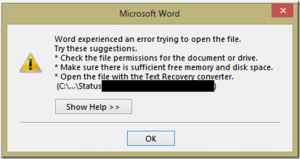
Don’t search any Outlook settings. This is not the Outlook issue. It is the respective program (Word or Excel or Powerpoint) refused to open the document from unsafe origins.
The solution is to fix the corresponding program. You may end up fixing all office programs. To fix the issue follow the instructions.
- Open Word (or Excel or Powerpoint).
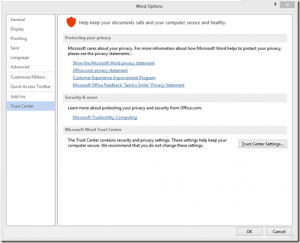
- Click File tab and select Options.
- Click Trust Center and click on Trust Center Settings… button.
- Click to select Protected View
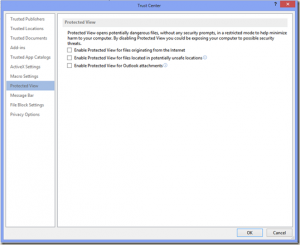
- Uncheck Enable Protected View for Outlook attachments. You may choose to uncheck all the options here, I would left other checked.
Now try open the attachment from Outlook. It will open normally. Enjoy!